
ZArchiver Pro - a special version of ZArchiver for all features
Table of contents


Introduce about ZArchiver Pro
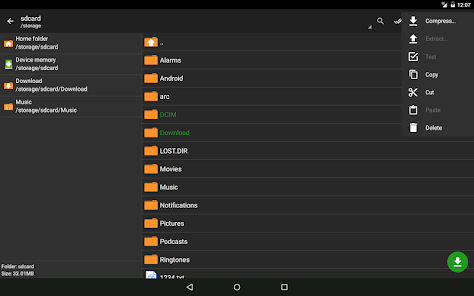
ZArchiver - is a program for archive management. It has a simple and functional interface. The app doesn't have permission to acces the internet, so cannot transmit any information to other services or persons.
Features of ZArchiver Pro
Light and dark theme;
Password storage;
Image preview in archive;
Editing the files in the archive (see notes);
All Features of ZArchiver
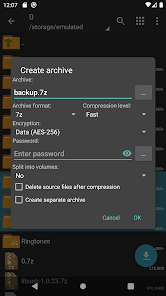
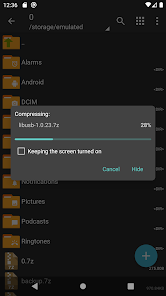
- Create the following archive types: 7z (7zip), zip, bzip2 (bz2), gzip (gz), XZ, lz4, tar, zst (zstd);
- Decompress the following archive types: 7z (7zip), zip, rar, rar5, bzip2, gzip, XZ, iso, tar, arj, cab, lzh, lha, lzma, xar, tgz, tbz, Z, deb, rpm, zipx, mtz, chm, dmg, cpio, cramfs, img (fat, ntfs, ubf), wim, ecm, lzip, zst (zstd), egg, alz;
- View archive contents: 7z (7zip), zip, rar, rar5, bzip2, gzip, XZ, iso, tar, arj, cab, lzh, lha, lzma, xar, tgz, tbz, Z, deb, rpm, zipx, mtz, chm, dmg, cpio, cramfs, img (fat, ntfs, ubf), wim, ecm, lzip, zst (zstd), egg, alz;
- Create and decompress password-protected archives;
- Edit archives: add/remove files to/from the archive (zip, 7zip, tar, apk, mtz);
- Create and decompress multi-part archives: 7z, rar(decompress only);
- Partial archive decompression;
- Open compressed files;
- Open an archive file from mail applications;
- Extract split archives: 7z, zip and rar (7z.001, zip.001, part1.rar, z01);
Download ZArchiver Pro APK for Android
File modification in the archive it is the ability to update the file in the archive after changing it in an external program. To do this: open the file from the archive, select the application (if required), edit the file, save the changes, return to ZArchiver. You will be prompted to update the file in the archive when you return to ZArchiver. If for some reason you are not prompted to update the file, the modified file can be found on the memory card in the folder Android/ru.zdevs.zarchiver.pro/temp/.